One platform. A different reason to love it in every seat.
ChairCommand gives each person the view they actually need, not one dashboard for everyone. Pick a role to see what changes for them.
See the whole practice before your first patient.
Today: you find out how the month is going once the month is over.
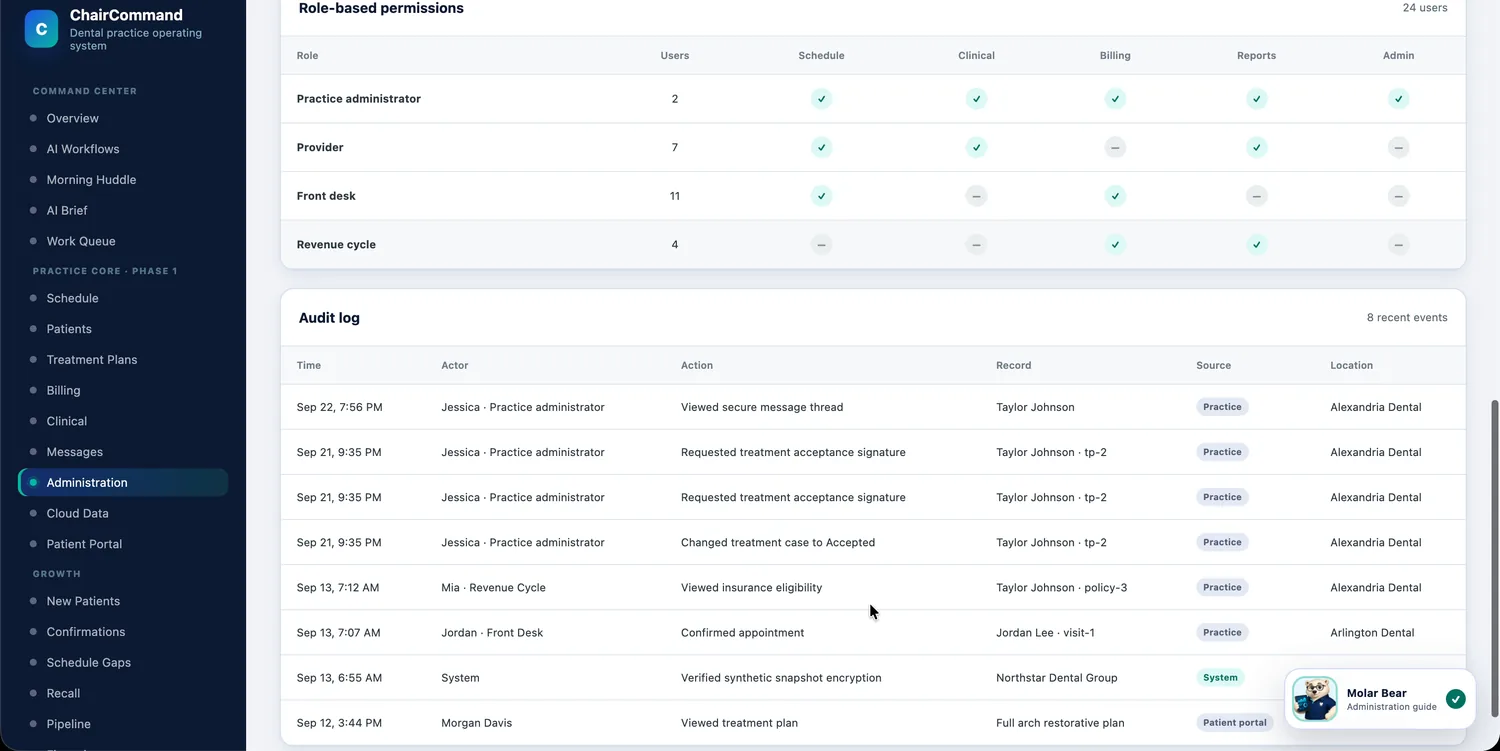
- A short daily brief on what changed since yesterday and what needs a decision, in plain sentences instead of a spreadsheet.
- Production and collections pacing against your goals, with a recommended next move for each location.
- Less riding on any one person's memory: every task has an owner, a reason and a status.
- A ledger of every dollar recovered, with what was done, by whom and when, so you can see what the system is worth.
Start your morning with: AI Brief
Walk into every day prepared.
Today: the details that matter are spread across the chart, the schedule and someone's sticky note.
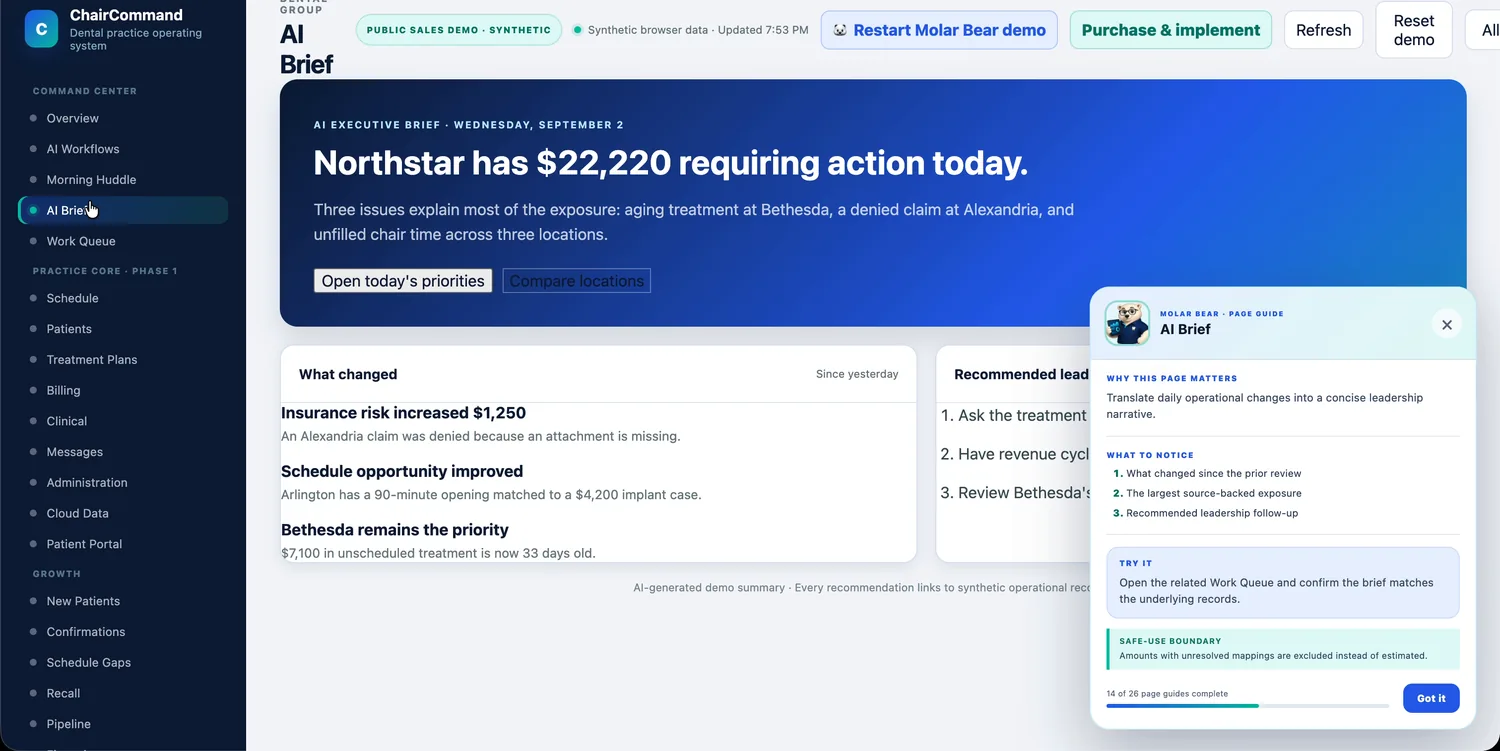
- Medical alerts, allergies and active medications up front, with an "acknowledge before visit" step.
- Your day by provider and chair, with visit types, durations and confirmation status in one view.
- Treatment plans laid out in phases, with estimated insurance and patient portion already worked out, so case presentations are clearer.
- Specialist referrals tracked, so follow-up doesn't fall through the cracks.
- Fewer holes in your day: cancellations are matched to patients whose treatment fits the opening.
Start your morning with: Clinical summary. ChairCommand sits beside your clinical software. It's a planning and administrative tool, not a chart or a diagnostic aid.
Your to-do list, written for you every morning.
Today: you spend the first hour of the day working out what the day needs.
- An AI Morning Manager reviews the day (appointments, unconfirmed visits, eligibility exceptions, schedule gaps) and proposes who should handle what.
- One work queue for the whole team, ranked by value and urgency, with an owner on every item.
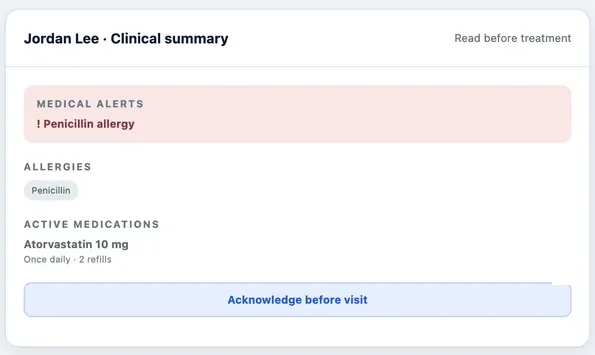
- A huddle view you can run in a few minutes without pulling three reports.
- Drafted messages and hand-offs that you approve instead of writing from scratch.
- A record of what actually got done, so you're never reconstructing the day from memory.
Start your morning with: Morning Huddle
Know exactly who to call, and what to say.
Today: cancellations, unconfirmed visits and overdue recalls all compete for the same ten minutes.
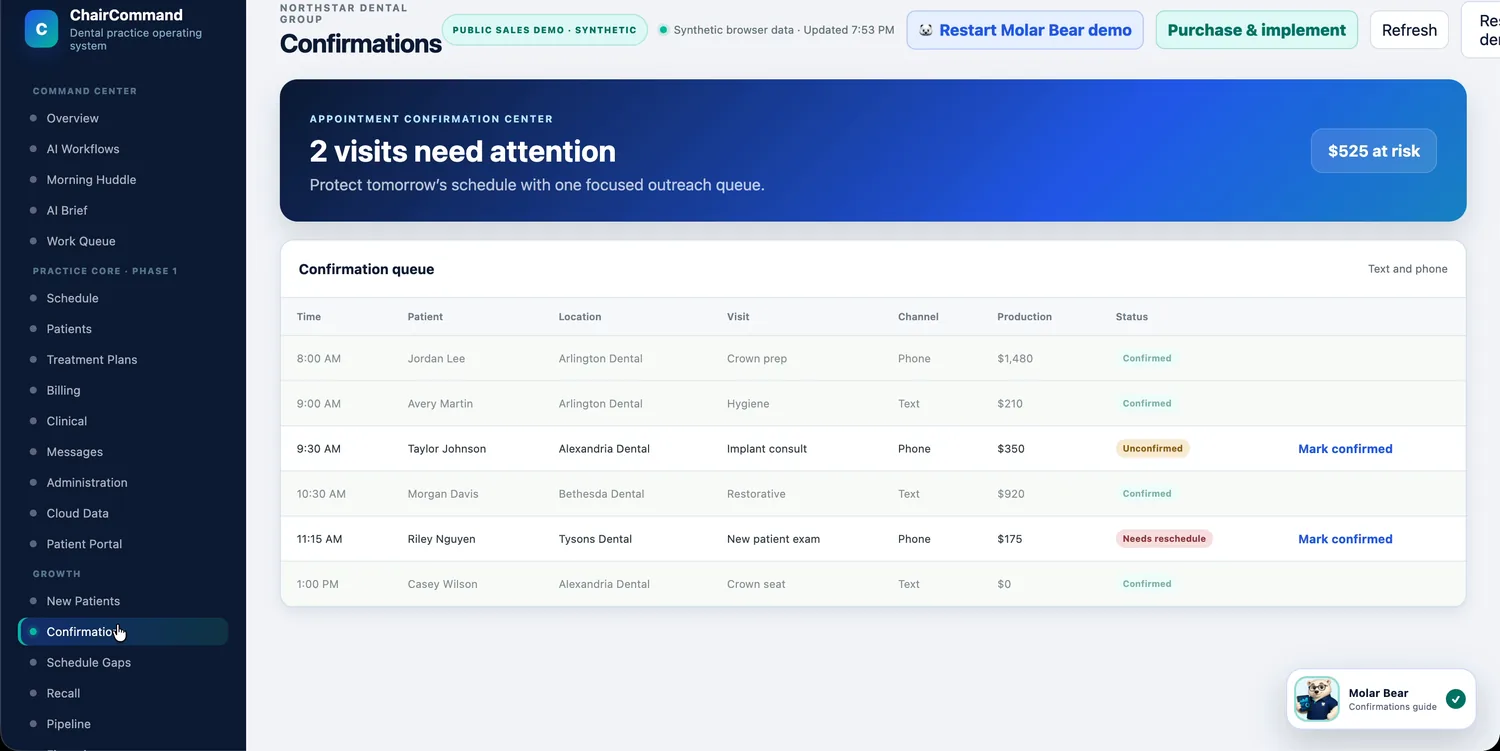
- A confirmation queue that shows which of tomorrow's visits need attention, so you chase the right ones first.
- When a chair opens up, a ranked list of patients whose treatment fits, with a drafted message ready to review.
- A recall list ordered by risk, showing days overdue and why each patient is on it.
- A secure, threaded inbox that keeps each conversation attached to the patient's record.
- Insurance, household and forms in one chart, so there are fewer "let me check on that" moments.
Start your morning with: Confirmations
Catch the claim before it becomes a denial.
Today: denials, aging claims and stalled balances surface weeks after the window to fix them.
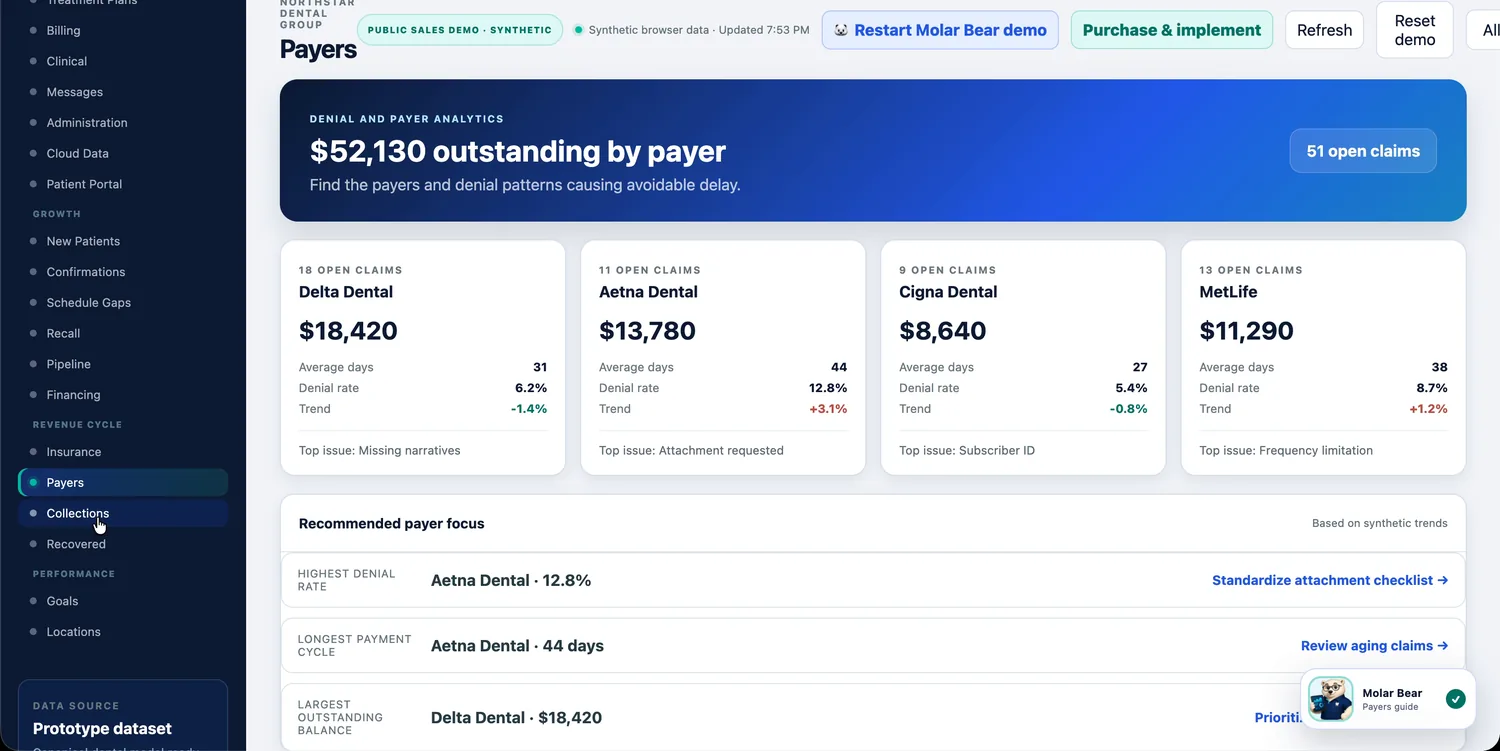
- An Insurance Copilot that flags what's missing before a claim goes out, like a required narrative, and drafts the hand-off.
- A claims monitor and upcoming eligibility work, each item with a reason and an owner.
- Payer views showing open claims, denial rates and days to payment, with the top issue for each payer.
- Financing and collections tracked so treatment doesn't stall for lack of a payment option.
- A recovery ledger that ties each dollar back to the action that produced it.
Start your morning with: Insurance and Payers
Run every location the same way.
Today: each office has its own habits, its own reports and its own version of "fine."
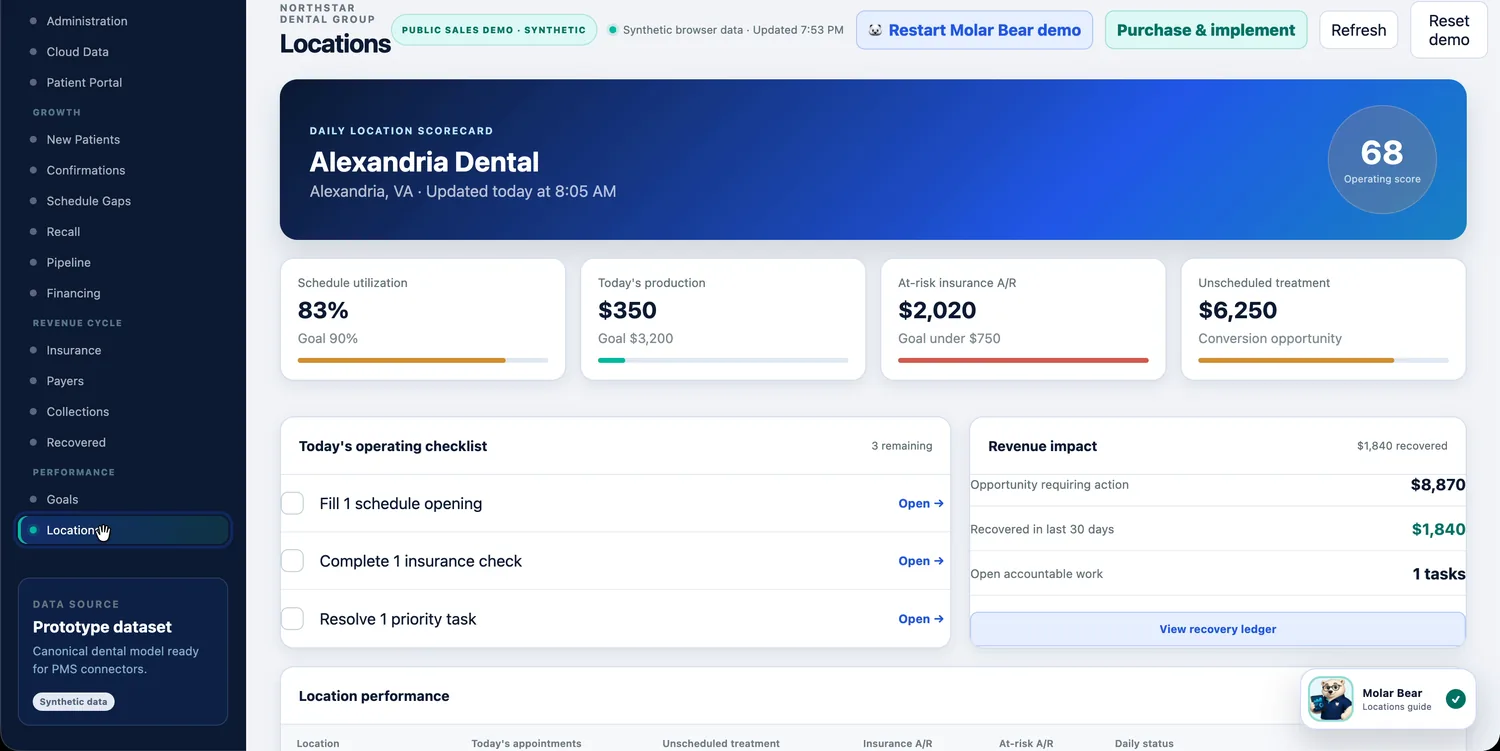
- A daily scorecard for each location, with an operating score and a short checklist of what to fix today.
- Production and collections against goal across the group, with "on pace" and "needs intervention" called out automatically.
- One patient chart that follows people between offices.
- The same AI workflows and approval steps everywhere, so quality doesn't depend on who's at the desk that day.
- Designed to connect to whichever PMS each location already uses.
Start your morning with: Locations
Everyone sees what they need. Nothing more.
Role-based permissions control who can see the schedule, clinical, billing, reports and admin areas. An audit log records who viewed or changed what, and when, so accountability is built in rather than bolted on.
- Permissions by role: administrator, provider, front desk, revenue cycle
- An audit log of views, approvals and changes
- Multi-factor sign-in and automatic logoff shown right in the admin workspace