Everything your practice needs to run cleanly, in one place.
ChairCommand works like an assistant manager who can see every screen at once. It plans the day, fills the schedule, drafts the follow-ups and keeps score. The screenshots below are the real product, from the public sales demo.
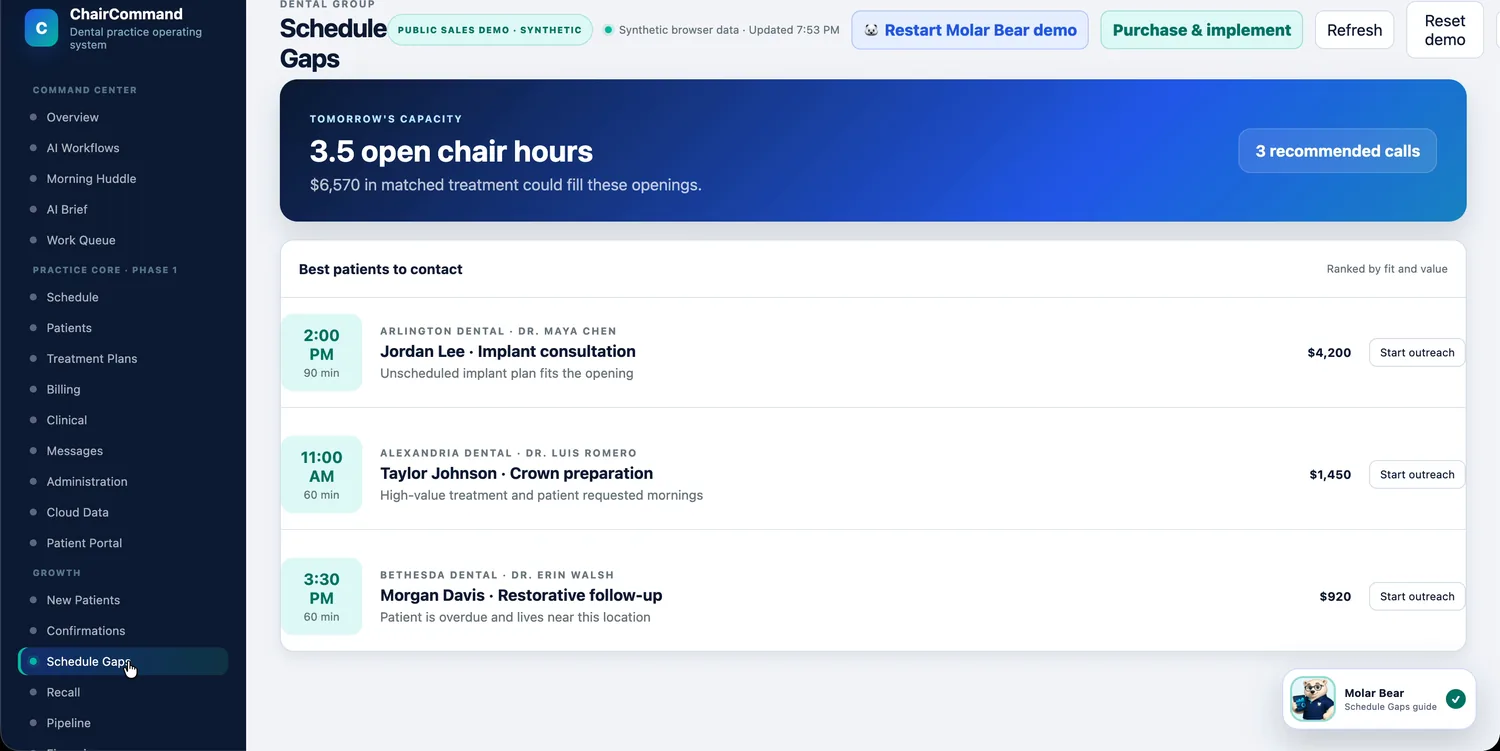
Don't let a cancellation turn into an empty chair.
Cancellations and no-shows can quietly take around a fifth of scheduled chair time. ChairCommand spots the opening, finds the patients it suits best, and has the outreach ready for your team to review.
- Open chair hours shown alongside the treatment that could fill them
- Best patients to contact, ranked by fit and value
- A confirmation queue that protects tomorrow's schedule
- Recall and new-patient follow-up lists so no one falls off the radar
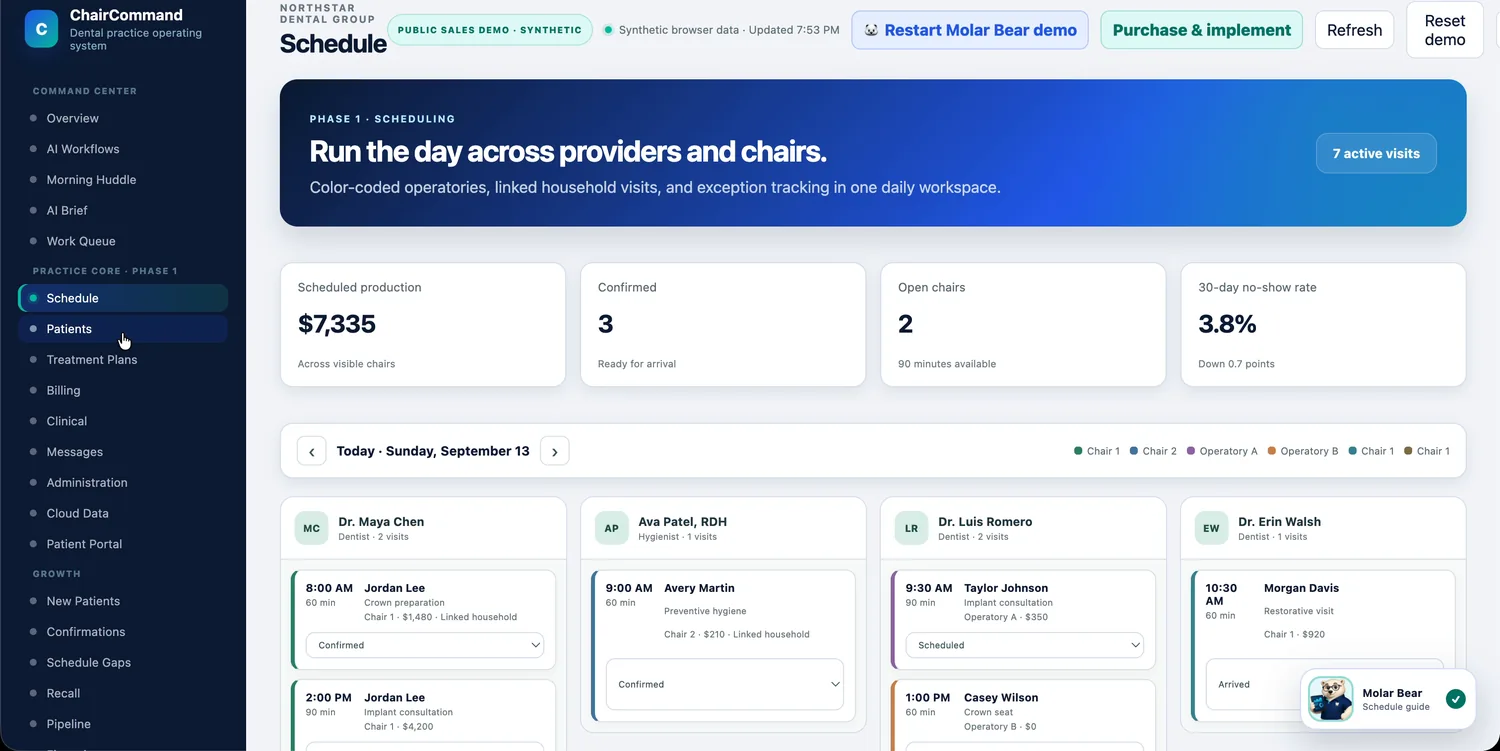
The whole day, by provider and chair, at a glance.
See who's where, who's confirmed and what's out of the ordinary, without flipping between screens. A shared morning huddle gives the front desk, the clinical team and the revenue cycle the same briefing.
- Color-coded operatories and linked household visits
- Visit status from scheduled to confirmed to arrived
- Exceptions flagged for you instead of discovered by accident
- A printable huddle with the day's key moves and talking points
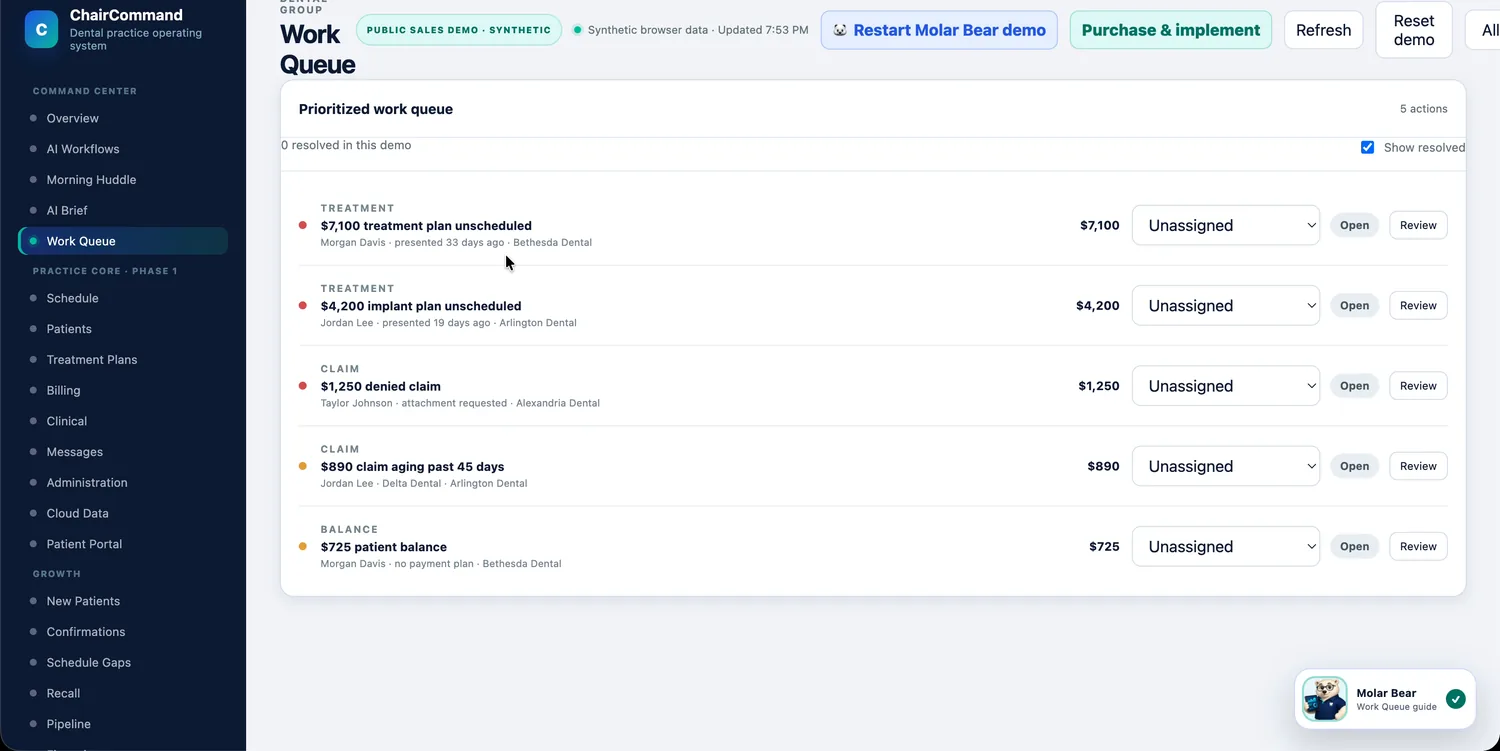
One ranked to-do list for the whole team.
Instead of a pile of reports, ChairCommand gives your team a single queue: unscheduled treatment, denied claims, aging claims and unpaid balances, ranked by value and urgency, each with the reason it surfaced.
- An owner assigned to every task
- Open and resolved items tracked in one place
- A daily AI brief on what changed since yesterday
- Nothing depends on one person remembering
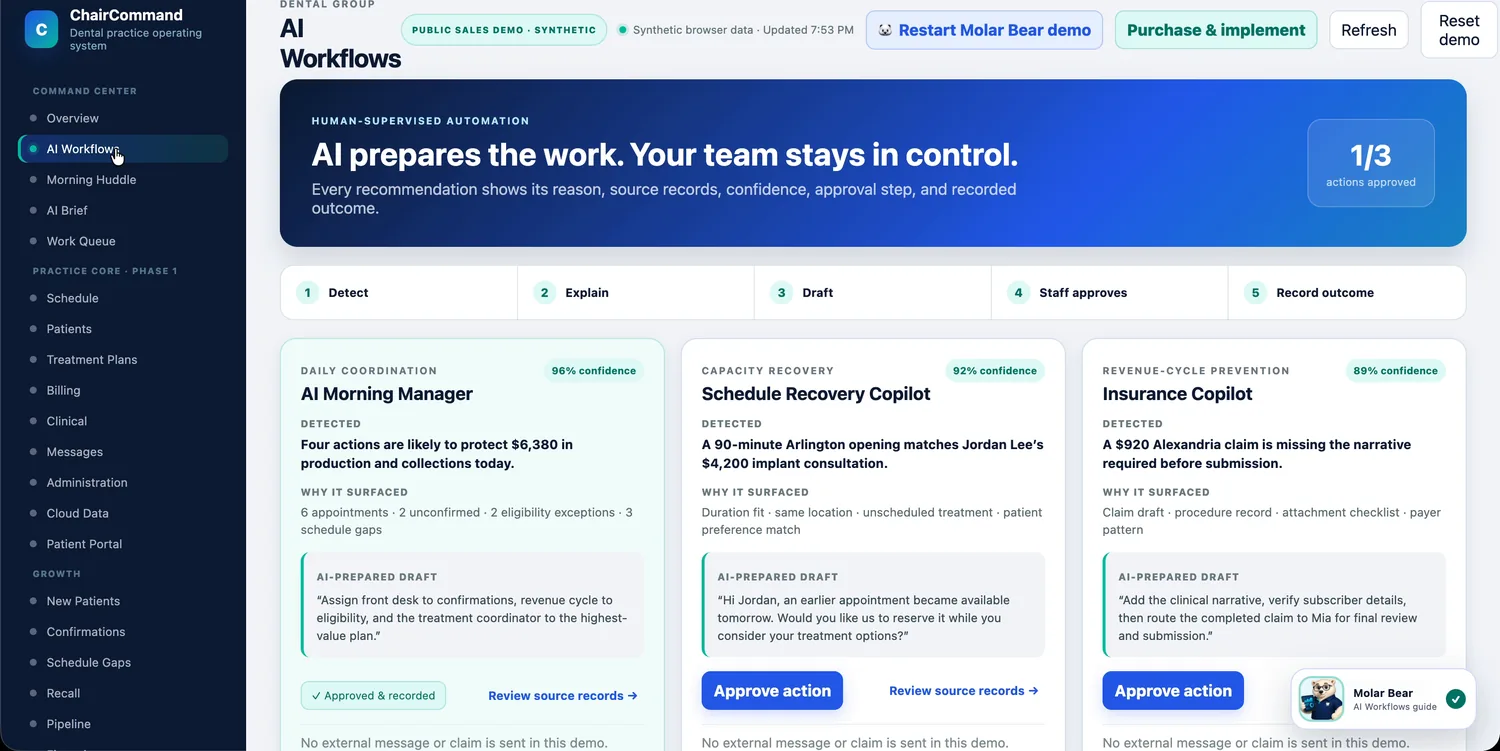
AI prepares the work. Your team stays in control.
Every recommendation shows its reason, its source records, a confidence score and an approval step. The AI prioritizes, explains and drafts. People send messages, submit claims and make clinical and financial decisions.
- Detect, explain, draft, staff approves, record outcome
- A Morning Manager, Schedule Recovery Copilot and Insurance Copilot working the queue
- "Why it surfaced" and a confidence score on every draft
- An audit trail of every approval
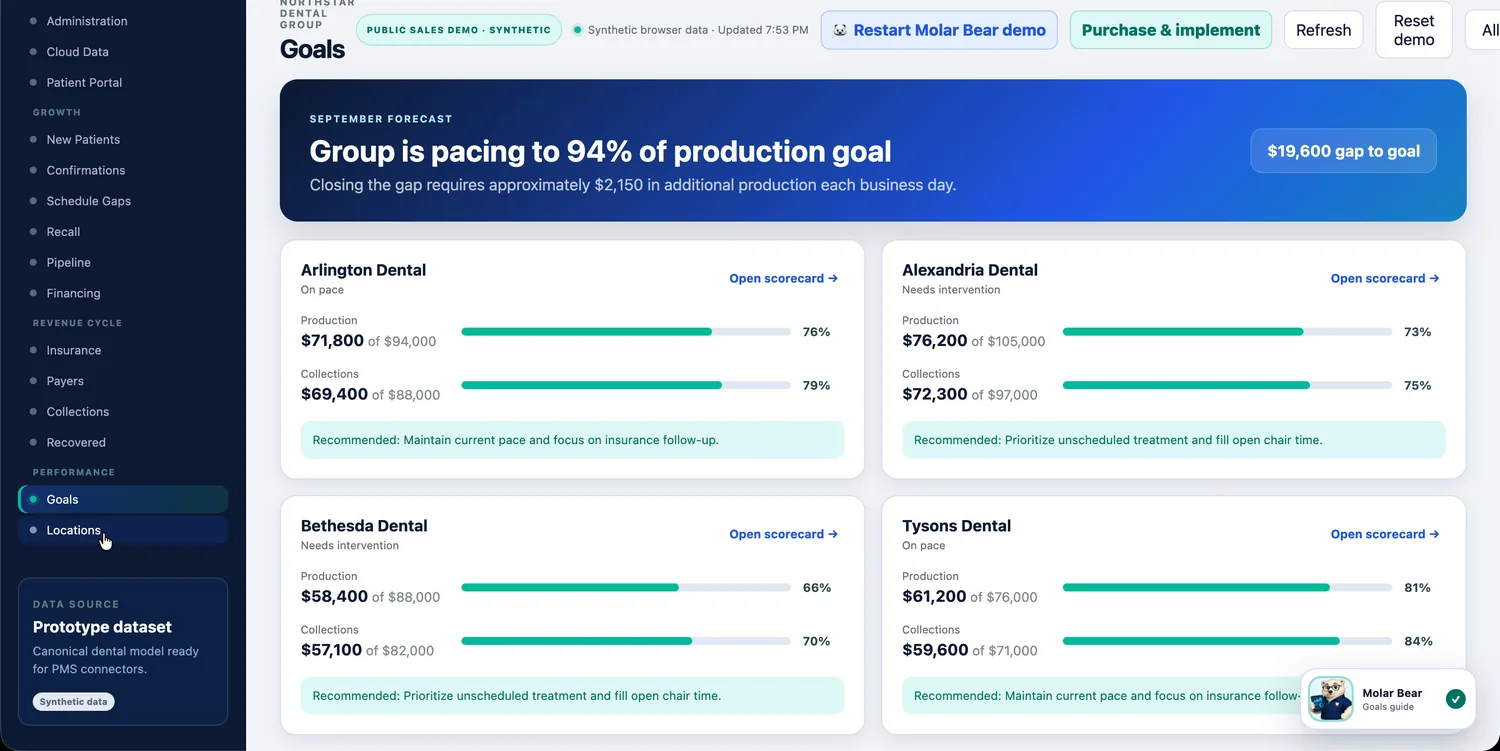
Fix the small thing before it becomes the big thing.
Most expensive problems start small: a visit nobody confirmed, an eligibility check nobody ran, a claim missing one attachment. ChairCommand surfaces them while they're still easy to fix, and puts a name on who's handling each.
- Claim exceptions flagged for review, with the reason and owner
- Upcoming eligibility work assigned before the patient arrives
- Payer trends: denial rates, days to payment, top issues
- Medical alerts and allergies surfaced before the visit
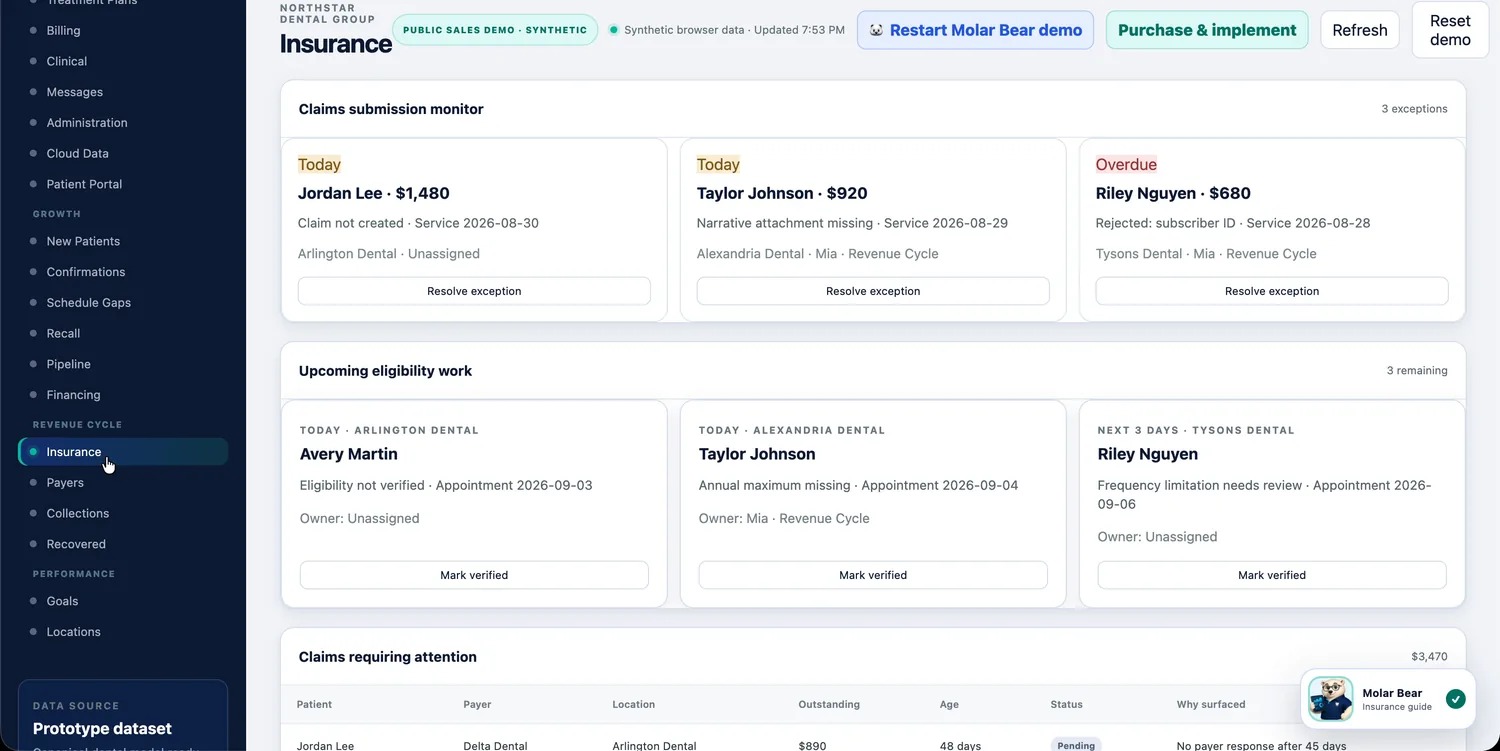
Diagnosed care doesn't go cold in a chart.
Every case is tracked from presentation through insurance estimate, financing conversation and e-signature to scheduled care, with a status and a value at each stage, so patients get a clearer path to saying yes.
- Phased treatment plans with estimated insurance and patient portion
- An illustrative monthly option shown beside each case
- Request an e-signature straight from the case
- A pipeline view of what's waiting on a decision, and for how long
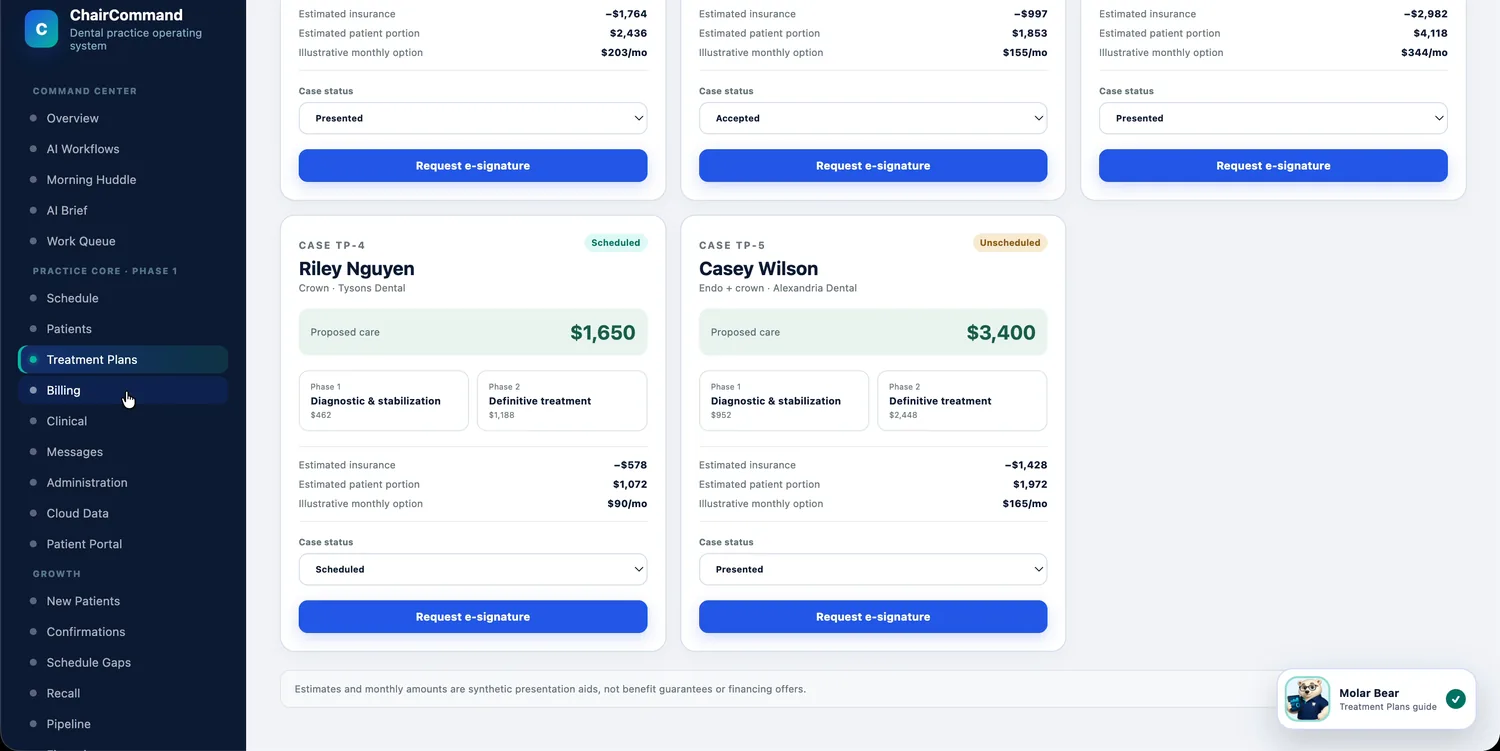
Registration, insurance and history in one place.
Household relationships, verified coverage, signed forms and medical alerts follow the patient wherever they're seen, so a patient who visits two of your offices doesn't look like two different people.
- Household relationships linked across visits
- Verified insurance coverage on the chart
- Medical alerts visible before treatment
- Secure, threaded messages kept with the patient's record
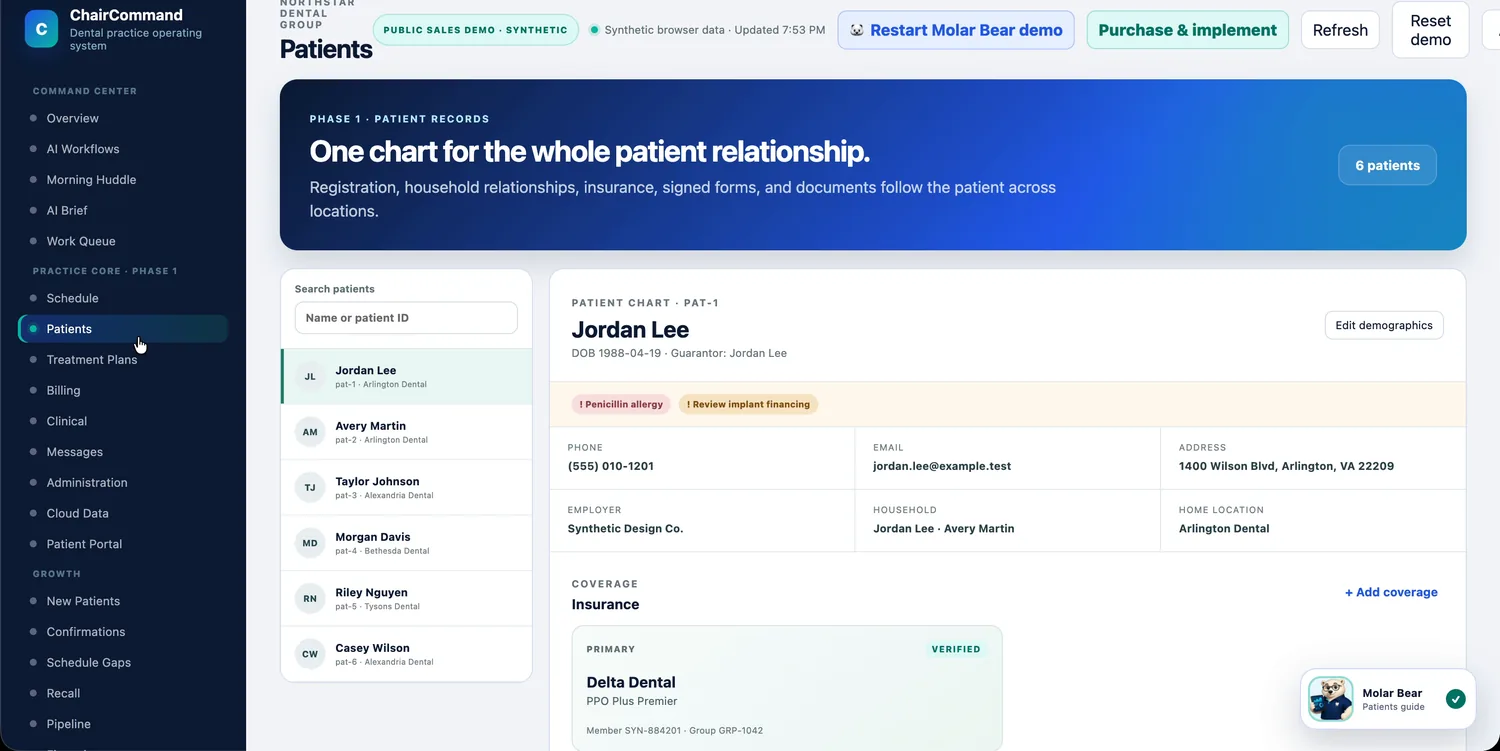
The same scorecard for every location.
For groups and DSOs, ChairCommand holds every office to the same production and collections goals, with a daily operating score, a short checklist of what to fix today, and a recommended next move for each location.
- Production and collections against goal, per location
- "On pace" and "needs intervention" called out automatically
- A daily checklist for each office manager
- A recommended next move, not just a number
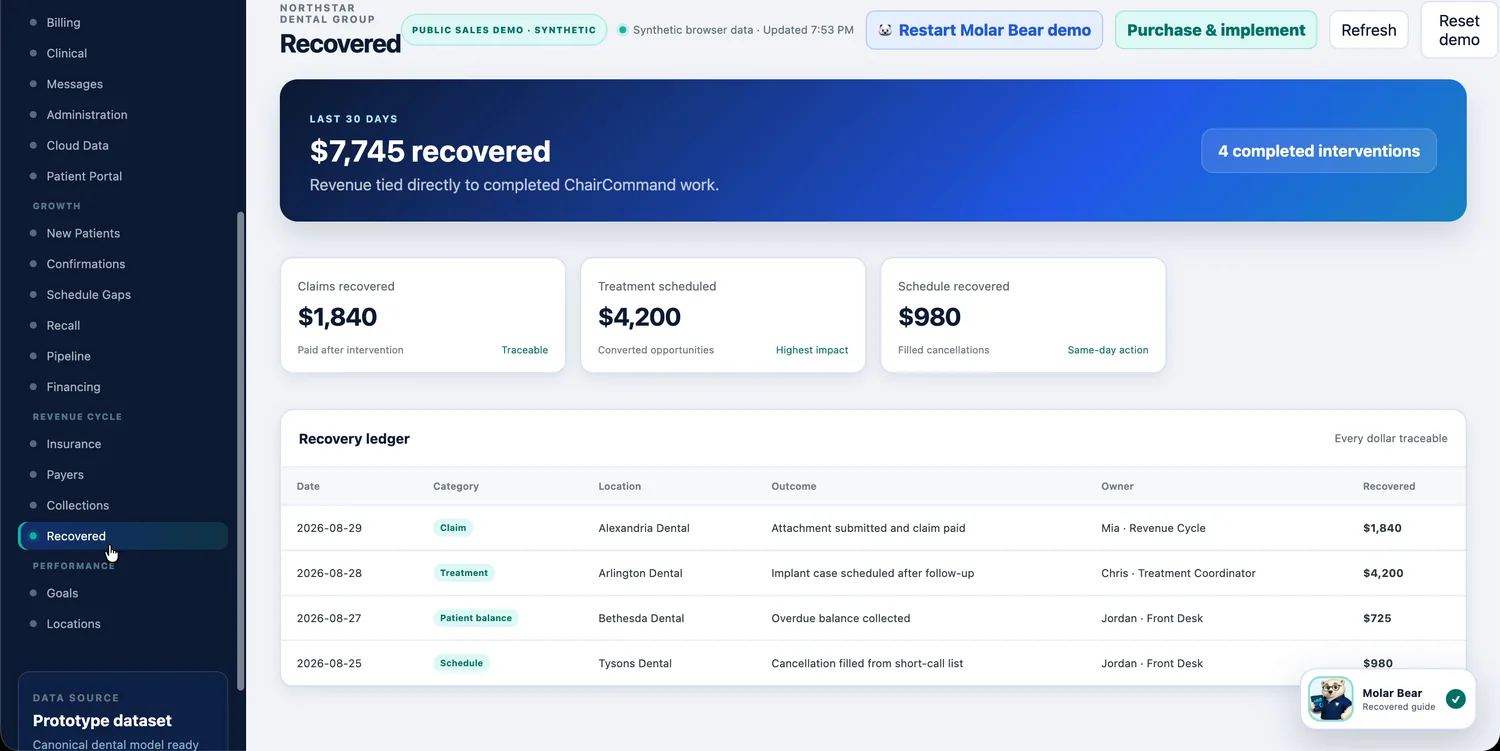
Every action leaves a record, and every recovered dollar traces back to one.
A read-only connection to the PMS you already run.
ChairCommand is built on a canonical dental data model designed to connect to your practice-management system's API, reading scheduling, production and treatment-plan data without writing back to your chart.